I built Lotto to solve a simple problem: make checking and saving lottery tickets easier on mobile. But here’s the reality: I have a background in Product Management and very light coding experience (mostly HTML and CSS). Yet, I brought this vision to life in weeks, not months.
The secret wasn’t a sudden mastery of React Native. It was orchestrating a team of AI agents, specifically Google AI Studio, Google Code Assist, and Jules Agent, to bridge the gap between product vision and technical execution. Below are the lessons learned from building an app with an AI-first workflow.
Architect Before You Prompt
I didn’t start by writing code. I started in Google AI Studio. I used the Playground to prompt the LLM with my high-level vision for the app. We collaborated to create a comprehensive App Plan, but the critical step was establishing a “Memory Bank.”
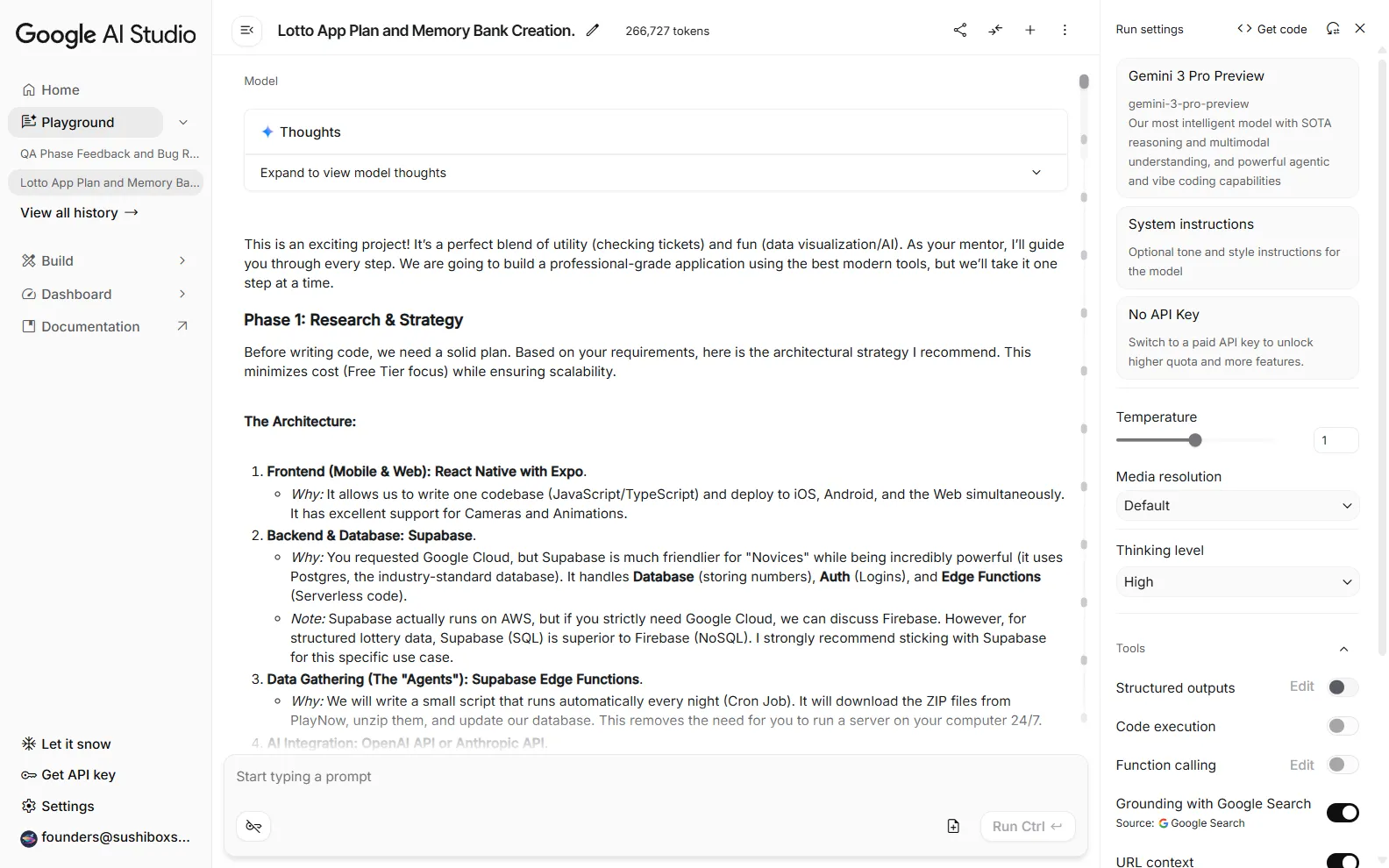
Following the structure used by Cline Bot, I instructed the AI to maintain a persistent context of the project’s state. Building a detailed and structured Memory Bank enables the agents to maintaining context across sessions rather than hallucinating solutions in isolation. This was a game changer.
Leverage AI for Foundation and Stack Selection
With the plan in place, I used Gemini 3 Pro Preview to lay the groundwork. It it not only helped me identify key features, it provided thorough explanations and suggestions for the optimal architecture to support the product vision and features. In my case, it was Supabase for the backend and Expo for the frontend.
Gemini set up the repository structure and handled the initial boilerplate. This phase is usually where non-engineers get stuck. By letting the AI handle the “blank page” problem, I could focus on the product logic rather than configuration files.
Iteration is a Conversation
The development process wasn’t about writing code, it was a back-and-forth prompting loop. I would describe a feature, the agents would help me iron out the details implement it, and I would review.
When regressions appeared, and they always do, the “small commits” philosophy became crucial. I found that keeping prompts focused on specific tasks allowed for easier debugging. If a feature broke, I could simply revert and refine the prompt.
Treating the LLM as a junior developer requires clear instructions and iterative reviews to prevent code sprawl.
Scale Velocity with Autonomous Agents
Once the MVP took shape, I introduced Jules Agent to the workflow. This was a game-changer for velocity. Jules allowed me to work on different parts of the application simultaneously.
I kept AI studio focused on the logic, integrations, and much of the backend, while Jules handled the frontend UX tasks. It was surprisingly adept at interpreting my vision for the interface, translating rough descriptions into polished UI components. This parallelization is how you compress months of work into weeks.
Code Assist was the third agent. It’s focus was to live in my local code and help guide me through my own custom changes (yes, I did end up doing a bit of coding myself).
Validate UX on Real Devices
AI is great at generating code, but it can’t “feel” the app. I learned that you still need to validate on real devices.
For example, I implemented a “back-to-top” feature on the history tab. While the AI wrote the logic to listen for the tabPress event, I had to verify the scroll behavior on a physical phone to ensure it felt natural.
AI can build the feature, but only a human can validate the experience.
From Writing Code to Defining Intent
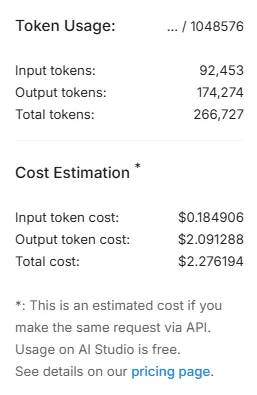
Building Lotto proved that you don’t need deep coding knowledge to ship a production-ready mobile app in 2026. You need a clear product vision and the ability to orchestrate AI agents.
By using Google AI Studio for planning, Gemini 3 Pro for architecture, and Jules Agent for execution, I transformed a rough idea into a shipped product. The role of the creator has shifted from writing code to defining intent and verifying quality.